|
Using Splashtop Remote Desktop (or
similar product) to Simultaneously
view TurboStats Evolution on Two Devices
How Does This Work?
Splashtop is a low cost App ($3) that runs on your
Kindle Fire, iPad, Android Tablet, HP TouchPad, iPhone,
iTouch, Android Phone or Windows PC.
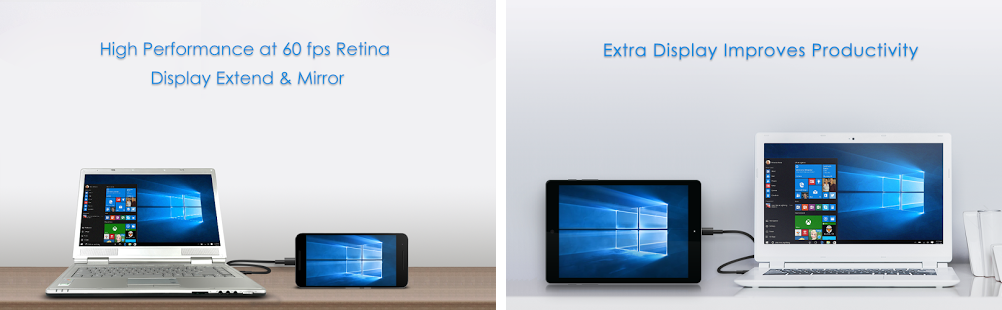
Splashtop provides a free streaming application that runs on your
Windows computer to broadcast the display over a wifi
connection.
The Splashtop App searches your wifi
network (or Windows 7 Computer running our
HostNetwork script 1) for Streamers running on PC's or MACs. Once you select a
streamer and enter the appropriate password, the display
screen on your Windows computer will be broadcast, in real
time, on another tablet running the Splashtop App.
Remember: TurboStats does not run by itself on any
non-windows media tablets. A Windows PC/Tablet is required.
What if We Don't have WiFi in the
Gym?
TurboStats 9.0g now includes a free WiFi Hotspot script
that works on Windows 7 computers only. If you don't
use Wndows 7 then you will need a wireless router or other
type of external HotSpot. (you don't need Internet access to
do this)
Why is this Important?
The advanced data tracked by TurboStats Evolution is
invaluable for a coach to access during a live event.
Shot charts, Player Net and Efficiency Ratings, Actual
Rebound Percentage, Game Factors, Fouls, Team +/- Points for
each player, Shooting %, Points Scored vs Given up, Efficiency
of offensive play calls, defensive plays and point guards,
and even how long players have been in since their last
rest, can be invaluable for important "in game" decisions.
Since it's not practical for the coach to constantly look
over the scorekeeper's shoulders as the game is going
on, having the ability to view this information live
on a secondary device like an inexpensive Kindle Fire, iPad (or
even a cell phone) can be a game changer for your
basketball program. On road games, when you don't have
access to a printer, you can view the data in the locker
room (as long as you stay in range of your
computers wifi connection).
Possible Uses for Secondary Display
1. View Live Data without the need for printouts
2 Coach can enter offensive/defensive plays from the bench
and look at data (Platinum Edition)
3. Second Scorekeeper uses secondary display to track the
clock or set offensive or defensive plays (Platinum Edition)
4. Use your existing tablet and laptop together to substitute for
purchasing a Windows Slate
(remember that scoring on a capacitive
tablet is not as smooth and easy, a rubber tip capacitive
stylus does help but drag n drop does not work)
5. Use your existing computer in your office and score with
an existing tablet using your wifi network. Print to
all your network printers.
6. Oversee your ScoreKeeper for training purposes.
|
Kindle Fire with Splashtop
viewing of the TurboStats Live Scoring screen on
the HP Slate without wifi network |
 |
|
HP Slate running TurboStats on
Windows 7 with built in Host Network,
& Free Splashtop Streamer
(no additional wifi network required,
Kindle Fire will work within approx 30 ft of Slate) |
$199 Kindle Fire with $3 Splashtop
App
Excellent Clarity with ability to zoom, pan and enter
data if necessary
(remember that TurboStats does not run
on the Fire without a PC) |
|
1 What if you don't have
wireless network in your gym or on road games?
If you have a Windows 7 Laptop, Netbook or Tablet
(must be running Windows 7) you can use our new Host
Mode Script to create your own stand alone a Wireless
Network
How to setup your Windows 7 Wireless Host
Network
Is the Performance of the PC Reduced.
By a small degree, yes but it's too small to effect
scoring. Sometimes there is a slight flicker on the
mouse pointer. This was noticed on a single core
Windows 7 Slate computer so if you use a dual core processor
you won't notice anything with the streamer running.
|